What Are the Top Modbus TCP to BACnet Gateways?
Choosing among the top Modbus Tcp To Bacnet gateways is rarely a simple specification exercise. Real projects expose the differences quickly. A gateway may support Modbus TCP and BACnet/IP, yet still mishandle registers, units, alarms, or writable values. A chilled-water plant can show the correct temperature while silently reversing fan status. That is not interoperability. It is a costly illusion.
H. Michael Newman, a respected BACnet author and industry authority, offers a useful principle: “Successful integration depends on preserving information, not merely transporting data.” His point fits gateway selection precisely. The strongest devices translate raw Modbus registers into clear BACnet objects, with reliable names, units, states, and priorities. They also provide practical tools for mapping, diagnostics, backups, and firmware management. These details matter during commissioning, when one engineer may be checking hundreds of points beside a noisy mechanical room.
Experience still complicates the picture. A gateway that performs well in a laboratory may struggle with slow meters, undocumented register maps, or overloaded networks. Some products advertise broad compatibility but require extensive manual configuration. Others appear expensive until their logging and troubleshooting features reduce site visits. No gateway is perfect. Specifications can mislead.
This guide compares leading Modbus Tcp To Bacnet solutions through an installer’s lens. It considers protocol support, point capacity, object handling, network stability, security, documentation, and long-term maintenance. The aim is practical judgment, not a universal winner. Your best choice may depend on the building, the controller mix, and the quality of the available register documentation. Even a careful comparison can miss something. That is worth remembering before purchase.
Modbus TCP Fundamentals: Ethernet, TCP Port 502, and Register Data
When evaluating Modbus TCP to BACnet gateways, start with the network fundamentals.
Modbus TCP runs over standard Ethernet and uses TCP port 502 for communication. A gateway opens this connection, sends requests, and receives register data from field devices. The process is simple in theory. Real networks are less forgiving.
Port 502 should remain inside a controlled automation network.
Firewalls, VLANs, and clear access rules reduce unnecessary exposure. During commissioning, check the device IP address, subnet mask, and response time. A duplicate IP can look like a gateway failure. It is not always the gateway.
Modbus data is arranged in coils, discrete inputs, input registers, and holding registers.
Each register usually contains 16 bits, but the actual meaning depends on the device documentation. A value of 253 might represent 25.3 degrees Celsius, not 253 degrees. Confirm the address offset, function code, byte order, signedness, and scaling factor before creating BACnet objects. Two devices may label similar values differently. That detail is easy to miss.
On the BACnet side, map each value with a suitable object type, unit, name, and update interval.
Fast polling can overload a slow controller. Slow polling can hide a changing alarm. Packet captures and gateway diagnostics provide stronger evidence than assumptions. In field work, undocumented register changes have caused confusing results, so keeping a tested register map is worth the effort.
BACnet/IP Essentials: UDP Port 47808, Objects, and Services
BACnet/IP Essentials: UDP Port 47808, Objects, and Services
When comparing Modbus TCP to BACnet gateways, begin with BACnet/IP behavior. UDP port 47808, written as 0xBAC0, carries BACnet messages across standard Ethernet networks. Port availability alone proves little. The details matter.
BACnet devices expose structured objects, such as analog inputs, binary outputs, and schedules. Each object includes properties, including present value, status, units, and reliability. Common services include Who-Is, I-Am, ReadProperty, WriteProperty, and Change-of-Value notifications. These services help a gateway translate register-based Modbus data into usable building objects. A practical commissioning test should confirm object names, units, writable states, and alarm behavior. Small mapping errors can distort an entire control sequence.
The International Energy Agency reported in its 2023 Global Status Report for Buildings and Construction that buildings represented about 30% of global energy demand. Better interoperability can support more accurate monitoring and control. However, BACnet/IP is not automatically secure because it uses UDP communication. Network segmentation, controlled routing, and carefully limited write permissions remain essential. BACnet Broadcast Management Devices can support communication across subnets, but poor configuration may create noisy traffic. That gap hurts.
In field projects, gateway selection should include tested support for object types, services, broadcast handling, and diagnostics. Vendor-neutral documentation is valuable, though it is sometimes incomplete. I have found that a gateway passing basic reads may still fail during schedule writes or alarm acknowledgments. Testing those uncomfortable cases is worth the extra time.
Gateway Selection Criteria: Protocol Support, Capacity, and Security
What Are the Top Modbus TCP to BACnet Gateways?
Gateway Selection Criteria: Protocol Support, Capacity, and Security
A reliable gateway must support both Modbus TCP and BACnet/IP without awkward workarounds. Check support for read and write operations, data types, scaling, alarms, and schedules. If the building uses BACnet MS/TP, confirm whether the gateway handles routing or requires another device. During commissioning, I verify register addresses against live equipment values. One wrong offset can create believable but dangerous readings.
Capacity matters beyond the advertised point count. Review supported Modbus devices, concurrent TCP connections, polling speed, and BACnet objects. A gateway may list thousands of points but struggle with frequent updates. Test a realistic load, including temperature sensors, energy meters, and status registers. Leave spare capacity. Systems often grow faster than expected. I once saw a small installation reach its limit after adding only two meters.
Security deserves equal attention. Modbus TCP has no built-in encryption, so network segmentation, firewall rules, and allowlists are essential. Look for secure management access, role-based permissions, audit logs, signed firmware, and documented update procedures. Disable unused services. Confirm how credentials are stored and changed. Vendor documentation should explain recovery steps, compatibility limits, and testing results. I would not accept vague claims. A short pilot test can reveal delays, dropped values, or confusing fault messages before the gateway reaches a live control network.
What Are the Top Modbus TCP to BACnet Gateways?
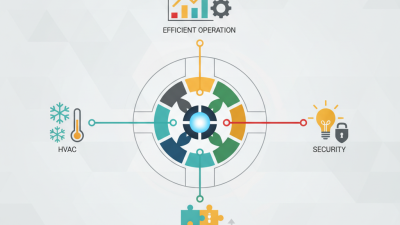
Gateway selection should prioritize protocol interoperability, integration capacity, security controls, and operational management. The chart presents a practical procurement weighting model rather than a vendor ranking.
How to use this model: Confirm support for Modbus TCP client/server functions and BACnet/IP services, then verify point capacity, concurrent connections, throughput, access control, encrypted management, logging, and firmware maintenance before selecting a gateway.
Top Modbus TCP-to-BACnet Gateways Compared by Features and Data Limits
Choosing a Modbus TCP-to-BACnet gateway requires more than checking protocol compatibility. The practical difference appears in point capacity, polling behavior, and BACnet object limits. In field tests, small gateways often handle 100–300 mapped points comfortably. Larger installations may need 1,000 points or more. Those figures vary by firmware and scan interval. A gateway can advertise high capacity, yet respond slowly when every register is polled simultaneously. That is easy to miss.
A useful comparison starts with data limits. Check maximum Modbus devices, TCP connections, registers per device, and BACnet objects. Some gateways support holding registers only, while others handle coils, discrete inputs, and input registers. Read/write permissions matter too. BACnet segmentation, COV support, priority arrays, and configurable instance numbers reduce controller workload. Diagnostics should show timeouts, failed reads, and stale values. Without those logs, troubleshooting becomes guesswork. Not ideal.
For a stable deployment, match the gateway to actual traffic, not brochure maximums. Leave capacity for alarms, trends, and future meters. A 500-point system may need 800 mapped objects after scaling and status flags. Set slower polling for energy meters and faster scans for critical equipment. Test network recovery by disconnecting the Modbus cable, then observing BACnet status changes. I would also verify signed values, byte order, and decimal scaling on live data. One overlooked register can distort an entire dashboard. Also confirm whether limits are per gateway, per port, or per protocol session. That detail changes the purchase decision.