xzcChinese
Inquiry
Form loading...

What Is BACnet Over Ethernet and How Does It Work?

Bacnet Over Ethernet lets building systems exchange control data across a local Ethernet network. A room thermostat can report its temperature, while a controller adjusts a valve or fan. The network provides the communication path; BACnet defines how devices describe and share information. It sounds simple. The details matter.

This guide explains how BACnet messages travel between devices and what happens when they cross network boundaries. BACnet Ethernet uses Ethernet as its data link, while BACnet/IP carries BACnet messages over IP networks. These terms are related, but they are not interchangeable. That distinction can affect device compatibility, commissioning, and troubleshooting. A technician checking a controller’s address, for example, needs to know which network method the device supports.

We will also examine practical design choices, including network layout, routers, addressing, and traffic visibility. A packet capture may reveal repeated requests or a device that never responds. Small clues count. Reliable operation depends on correct configuration and testing, not just plugging in a cable. Security deserves attention too, especially when building networks connect to broader business systems. Network segmentation and controlled access can reduce exposure, though no single measure guarantees protection. Some installations still contain older equipment, so assumptions should be checked against manuals and site conditions. That is less tidy than a diagram, but more useful in practice.
What Is BACnet Over Ethernet and How Does It Work?

What BACnet Over Ethernet Is

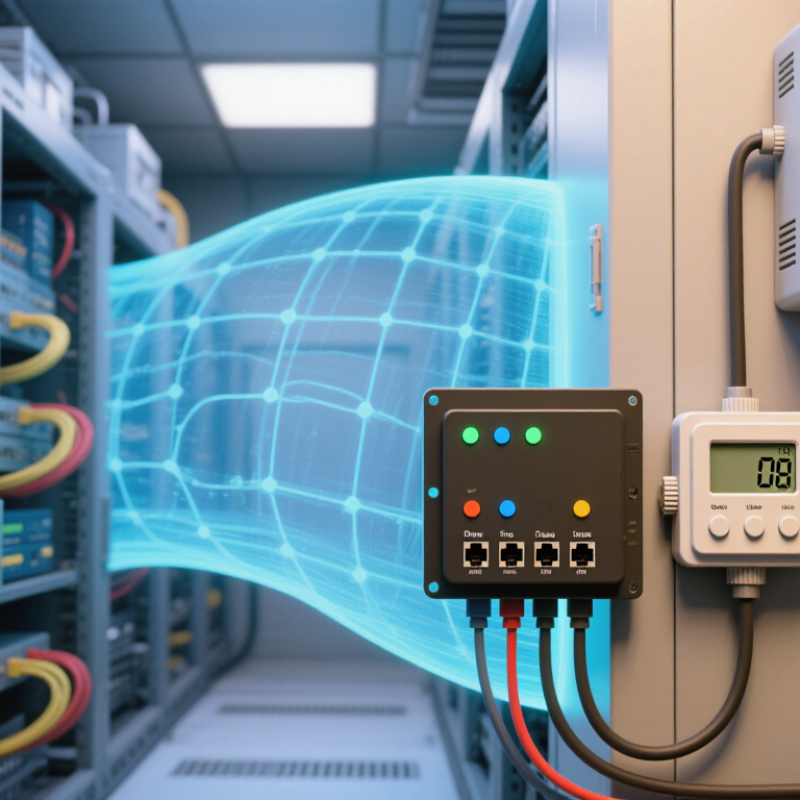
BACnet over Ethernet describes BACnet messages traveling across an Ethernet local area network. BACnet is the communication protocol; Ethernet provides the network link. Devices can share information such as room temperature, fan status, and alarm conditions. The term can be ambiguous, though. It may mean BACnet’s native Ethernet data link, or BACnet/IP carried over an Ethernet network. These are not identical, so check the device documentation and network configuration before assuming compatibility. ANSI/ASHRAE Standard 135 defines BACnet’s communication services and data structures.

The scale of building systems makes interoperability important. The U.S. Energy Information Administration’s 2018 Commercial Buildings Energy Consumption Survey counted about 5.9 million commercial buildings, totaling roughly 96 billion square feet. That figure describes the market, not BACnet adoption. Still, it shows why clear communication between HVAC controls, sensors, and supervisory systems matters. Ethernet can use existing cabling, but network settings, addressing, and security still need careful planning. It is not automatically plug-and-play.

Tips: Confirm whether a device supports native BACnet Ethernet or BACnet/IP. For a simple check, compare its network settings with the controller’s, then verify that a temperature reading updates at the workstation. Small details matter.


How BACnet Messages Travel Across Ethernet

On a typical building network, a BACnet message starts inside a controller or sensor. The device creates a BACnet request, such as asking for a room temperature. With BACnet/IP, that request is carried in a UDP datagram, then an IP packet, and finally an Ethernet frame. Each layer adds addressing information. Ethernet uses local hardware addresses to move the frame between devices and switches. The IP address identifies the network destination, while BACnet identifies the device and property involved. A switch forwards the frame across the local network. It does not interpret the temperature request itself.

That distinction matters. Ethernet is the delivery path, not the BACnet language. On the same subnet, devices may use broadcasts to find other BACnet/IP devices. Routers generally do not forward those broadcasts, so larger networks may need configured broadcast management or BACnet routing. A reply follows the reverse path, carrying the requested value back to the original device. In a packet capture, you might see Ethernet and IP details before the BACnet service becomes readable. The layers can feel confusing at first. A diagram may also make discovery look effortless, though real networks have settings and boundaries to check.

What Is BACnet Over Ethernet and How Does It Work? - How BACnet Messages Travel Across Ethernet

Dimension How It Works Practical Detail
Protocol meaning BACnet over Ethernet carries BACnet network messages directly over an IEEE 802.3 Ethernet link, using the BACnet Ethernet data-link method. It is distinct from BACnet/IP, which carries BACnet messages inside IP and UDP packets.
Protocol stack A typical message passes from the BACnet application layer to the BACnet network layer, then through the BACnet Ethernet link layer and the physical Ethernet medium. Ethernet switches handle local frame forwarding; BACnet routers handle traffic between BACnet networks.
Frame contents A BACnet Ethernet frame contains Ethernet addressing information, an IEEE 802.2 LLC header, and the BACnet network-layer message. The Ethernet frame also includes a frame check sequence. The LLC header identifies the payload as BACnet traffic; the Ethernet frame check sequence is used to detect transmission errors.
Addressing The Ethernet header uses source and destination MAC addresses. BACnet also uses its own device and network addressing within BACnet messages. A MAC address identifies an interface on the local Ethernet link; it is not the same as a BACnet device instance number.
Request and response A client can send a BACnet service request, such as a ReadProperty request. The target device processes the request and returns a BACnet response when the service calls for one. The application service defines what information is requested or changed; Ethernet transports the frame across the local link.
Discovery and broadcasts A Who-Is request can be sent as a BACnet broadcast, and devices may answer with I-Am messages. On a local Ethernet segment, the frame can use the Ethernet broadcast destination address. Broadcast forwarding beyond the local BACnet network depends on BACnet router configuration and network behavior.
Switching and routing An Ethernet switch forwards frames within a LAN based primarily on MAC addresses. A BACnet router connects BACnet networks and forwards eligible BACnet messages between them. A standard Ethernet switch does not, by itself, route BACnet messages between separate BACnet networks.
Difference from BACnet/IP BACnet Ethernet carries BACnet directly in Ethernet frames. BACnet/IP encapsulates BACnet messages in UDP datagrams carried by IP. The default BACnet/IP UDP port is 47808 (0xBAC0), though deployments can use a different configured port.
Network scope Direct BACnet Ethernet communication operates on an Ethernet link. Communication across separate BACnet networks requires appropriate BACnet routing. IP-based routing is not part of BACnet Ethernet itself because this method does not wrap messages in IP packets.
Frame size Standard Ethernet supports a maximum payload of 1500 bytes in a conventional Ethernet frame. The BACnet message and link-layer information must fit within the applicable frame limits. Actual limits can depend on the Ethernet configuration and any additional encapsulation used on the network.

How Devices Identify and Exchange Information

On an Ethernet network, BACnet devices need more than a cable connection to find one another. Each device has a BACnet device instance, a unique number used to identify it within the building automation system. It also has a network address, such as an Ethernet or IP address, depending on the BACnet data link in use. These identifiers serve different purposes. An IP address helps route traffic; the device instance tells other devices which BACnet device is responding.

A controller can send a Who-Is request to discover devices. Matching devices answer with I-Am messages, sharing their instance numbers and address details. Picture a room controller replying from an address assigned to its network interface. A technician can then check whether its reported identity matches the configuration. Small mismatch, big headache. BACnet over Ethernet may use BACnet/IP, where messages travel inside UDP and IP packets, or a direct Ethernet data link. The distinction matters when troubleshooting.

Once identified, devices exchange BACnet services to read or change object properties. A building controller might read a sensor’s present-value property, then adjust a setpoint in a thermostat. Some devices report changes using Change of Value notifications, reducing repeated polling. Network settings, routing, and access permissions can affect whether messages arrive. Packet captures help reveal the actual exchange, though interpreting them takes practice. Discovery is not proof that every required point is available; that assumption deserves a second look.

How BACnet Routers Link Ethernet Networks

BACnet routers connect separate BACnet networks so devices can exchange building-control messages across different links. An Ethernet switch moves traffic within one local network; a BACnet router also understands BACnet network addresses. That distinction matters. On Ethernet, BACnet/IP devices typically send messages using UDP/IP. A router can connect that Ethernet network to another BACnet network, such as a segment using a different communication medium.

Each BACnet network needs a unique network number, and the router uses these numbers to direct messages. For example, a controller on an upper floor might request a temperature reading from a device on a lower-floor network. The router checks the destination and forwards the request through the correct interface. If the destination is unknown, a message may not arrive. Small detail, big impact.

Network design still takes care. IP subnets, VLAN boundaries, and broadcast settings can affect discovery and communication. BACnet/IP broadcasts do not automatically cross every IP subnet; a suitable broadcast-management configuration may be needed. During commissioning, technicians can verify device discovery, network numbers, and traffic at each interface. I have seen diagrams look clear while the installed addressing tells a different story, so checking the live setup is worth the extra time.

What Equipment and Network Settings Are Required

A BACnet-over-Ethernet installation needs a BACnet controller with an Ethernet interface, an operator workstation or commissioning laptop, and standard Ethernet cabling. A switch connects devices on the same local network. For communication with another BACnet network, a BACnet router may be needed. Keep the wiring tidy. A labeled cable at the control panel can save time when a device stops responding.

Configure each device with a unique BACnet device instance and the correct network number for the site. Select native BACnet Ethernet as the data link, and check that each interface has a valid Ethernet address. Native BACnet Ethernet does not use IP addressing for its BACnet traffic. BACnet/IP does, so confirm which method the equipment supports before setting IP addresses, subnets, or UDP ports. The names sound similar, but the settings are not interchangeable.

Check that switches and network segmentation allow the required traffic between devices. Keep BACnet devices on the intended VLAN, if VLANs are used, and record device instances, network numbers, and cable locations. Avoid duplicate identifiers; they can make discovery confusing. In practice, documentation is often rushed, and that becomes obvious during troubleshooting. Test by discovering devices and reading a few live values, such as a room temperature or fan status. A successful ping alone proves very little.