A Ddc Controller For Hvac can look like a small box on a mechanical-room wall, but its choices shape comfort, energy use, and maintenance for years. The right unit must communicate with existing equipment, support the required control sequence, and remain practical for the people who will operate it. A useful paraphrase of building-automation educator Phil Zito’s training message is: “Good controls depend on clear sequences, sound installation, and proper commissioning.” Treat that as a working principle, not a substitute for project-specific engineering.
These seven tips focus on the decisions that matter in real buildings: compatibility, input and output capacity, communication protocols, programming flexibility, cybersecurity, serviceability, and total lifecycle cost. Check the details against the actual equipment schedule. A controller may list BACnet support, for example, yet still require careful network setup and point mapping. Small differences matter. A spare output today could simplify a later valve or fan upgrade; an unclear wiring diagram could slow a technician during a cold morning callout.
No checklist can promise a perfect fit. That part is easy to overlook. Confirm requirements with the design team, installer, and facilities staff before purchase, then verify operation during commissioning. These tips offer a practical starting point—not a replacement for qualified engineering judgment or manufacturer documentation.
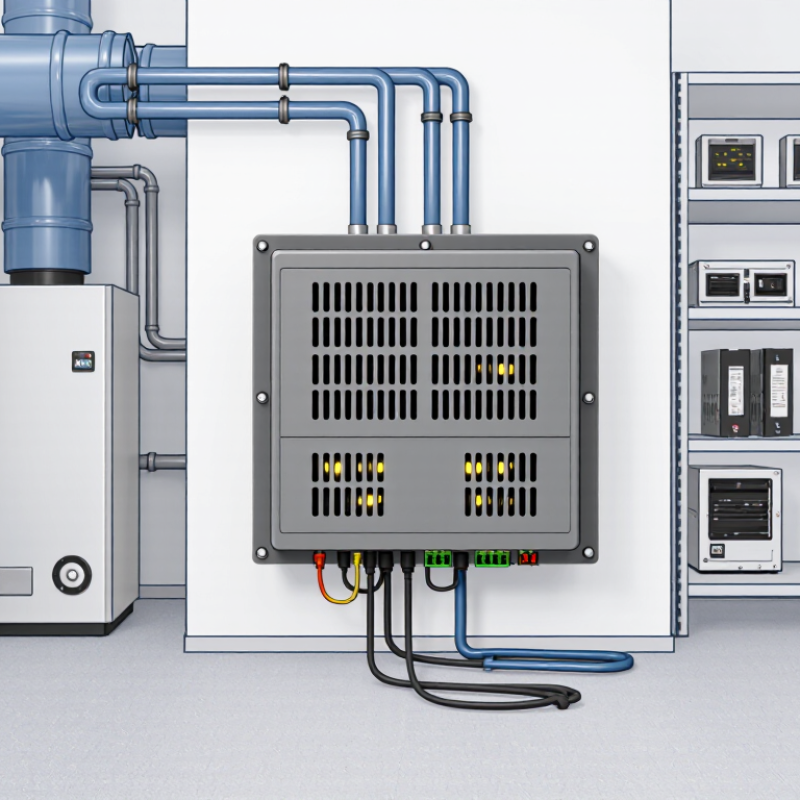
A DDC (direct digital control) controller is the decision-making unit in an HVAC system. It reads inputs from sensors measuring room temperature, duct pressure, humidity, or outdoor conditions. Then it compares those readings with programmed targets. If a room is too warm, the controller may signal a valve to open or a fan to run faster. It can also manage schedules, helping equipment reduce operation in an empty building. That is its core job.
Not guesswork.
The controller continually checks new readings and adjusts its commands. This feedback helps maintain comfort while avoiding unnecessary heating or cooling. It can also flag unusual conditions, such as a sensor reading that stays unchanged or a temperature that drifts beyond its limit. A technician can use these alerts to investigate before a small issue becomes harder to diagnose.
Details matter: a poorly placed sensor can mislead even a well-configured controller. The setup can still be imperfect. During commissioning, technicians should compare displayed values with trusted measurements and test how equipment responds. A DDC controller coordinates the system, but good results depend on accurate sensors, sensible programming, and properly maintained mechanical components.

A DDC controller must match the building’s actual HVAC duties, not just its point count. List every sensor, actuator, fan, valve, and safety interlock before comparing controllers. Verify input and output capacity, control-loop accuracy, network compatibility, and room for planned additions. Small details matter. An undersized controller can require extra panels or awkward workarounds; excess capacity may simply sit unused.
For ventilation, confirm that control sequences support the project’s adopted edition of ASHRAE Standard 62.1. Thermal control should also reflect Standard 55. Check scheduling, supply-air temperature reset, equipment staging, and alarms for sensor failure. Trend logs should help diagnose a warm zone at 3 p.m., not merely show that the system ran. The IEA’s 2023 Global Status Report for Buildings and Construction estimates that buildings account for 30% of global final energy use and 26% of energy-related emissions. Actual savings still depend on sound commissioning and operation.
Tips: Check I/O totals; confirm open-protocol support; verify local control during network loss; require clear alarms and usable trend logs; test sensor-failure responses; document spare capacity; and review sequences with the commissioning team. One caveat: a feature list cannot prove reliable performance. Ask how the proposed setup handles a failed sensor or a disconnected network.
| # | Selection Tip | HVAC Requirement to Check | What to Verify | Practical Acceptance Check |
|---|---|---|---|---|
| 1 | Match the controller to the equipment | It must support the unit’s control sequence and required points, such as heating and cooling stages, fans, dampers, valves, and safeties. | Compare the controller’s input/output types and quantities with the mechanical schedules, wiring diagrams, and sequence of operation. | Every required sensor, command, status, and safety function has a suitable point; the design does not rely on unsupported equipment features. |
| 2 | Check input and output compatibility | Field devices may use different signal types, including temperature sensors, dry contacts, analog voltage or current signals, and switched outputs. | Confirm sensor type and range, input configuration, output signal or relay rating, isolation needs, and whether extra modules are required. | Each connected device’s electrical signal and operating range match the controller documentation and the project wiring requirements. |
| 3 | Confirm communication requirements | The controller must communicate with the building automation system and any required supervisory devices using the project’s specified protocol and network arrangement. | Check supported protocols, available interfaces, addressing, network topology, data points, and any gateway or licensing requirements. | Required values, commands, alarms, and schedules can be exchanged end-to-end in the proposed system design. |
| 4 | Review sequence and control capabilities | Control functions should support the specified operating sequence, including scheduling, setpoints, interlocks, alarms, and applicable heating or cooling logic. | Determine whether the sequence can be configured in the controller, whether special programming is needed, and how setpoints and overrides are managed. | Test the documented operating modes and transitions against the approved sequence, including normal operation and relevant fault conditions. |
| 5 | Plan for safe behavior during faults | Loss of communication, sensor failure, or power interruption should not create an unsafe or damaging equipment condition. | Review configurable fallback values, alarm behavior, restart behavior, output states, and any equipment-level safeties required by the design. | Document and test the specified response to each relevant failure; do not treat software control as a replacement for required equipment safeties. |
| 6 | Check installation and environmental fit | The controller must suit its mounting location, enclosure, power supply, wiring method, and expected ambient conditions. | Verify supply voltage, power consumption, operating temperature and humidity limits, enclosure requirements, terminal capacity, and available panel space. | Installation conditions remain within the manufacturer’s published limits and comply with applicable project and electrical requirements. |
| 7 | Evaluate commissioning and future support | Technicians need a practical way to configure, test, diagnose, and maintain the controller throughout the system’s service life. | Review configuration tools, point documentation, alarm and trend access, backup and restore options, firmware support, and technician training needs. | Commissioning procedures, point lists, backups, and maintenance responsibilities are documented before handover. |
Note: Final controller requirements depend on the equipment, approved sequence of operation, project specifications, and applicable codes. Confirm electrical ratings and environmental limits in the selected controller’s documentation.
A DDC controller can look compatible on paper and still fail to suit an existing HVAC system. Check the controller’s supported equipment types, software requirements, and power supply before comparing features. Match input specifications to installed sensors: a temperature sensor may use resistance, voltage, or current. Confirm output types too, especially when existing actuators require a particular signal. Small mismatches can mean extra hardware or rewiring.
Count the points carefully. List every sensor, damper, valve, fan command, and status signal, then separate analog and digital inputs and outputs. Leave spare capacity for likely changes, such as an added occupancy sensor or pressure reading. I have found that point lists are easy to underestimate when auxiliary alarms and maintenance signals are omitted. Still, buying far more capacity than the project needs can waste budget and panel space.
Communication details deserve equal attention. Verify the protocol, supported network settings, and whether the controller can exchange the specific data your supervisory system needs. “Supports BACnet” alone may not answer questions about device profiles, object limits, or network configuration. Check wiring topology, addressing, and any gateway requirements against the site drawings. A spreadsheet can look reassuring, but a short bench test with representative devices often reveals integration issues earlier. Allow time for commissioning; documentation is not always perfectly current.
Tip 1: Check how programmers create schedules, alarms, and control sequences. A clear interface helps technicians make changes without editing unrelated logic. Ask for a sample project and trace one everyday task, such as adjusting a morning warm-up. Small details matter. Confirm whether edits can be tested before they reach live equipment.
Tip 2: Verify integration with the systems already in the building. Review supported communication protocols, point limits, and how failed connections appear on screen. Do not rely on a protocol name alone; test real devices and data points where possible. A controller that connects but reports stale temperatures can still mislead operators. Test it live.
Tip 3: Match user access to actual responsibilities. Operators may need alarms and setpoints, while administrators manage schedules and permissions. Look for individual accounts, change history, and practical password controls. These features make troubleshooting clearer when several people share a shift. Ask how access works during staff turnover, too. One limitation may remain: overly strict permissions can slow urgent work, so test common scenarios with the team before choosing.
Tip 1: Ask for reliability data from installations with similar HVAC loads and operating conditions. Check how the controller handles sensor failures, power interruptions, and communication loss. A clear fallback mode matters. Test it with a simulated fault, not just a sales demonstration. Field conditions are messier.
Tip 2: Assess support before you need it. Ask who diagnoses faults, what response times are typical, and whether replacement units are readily available. Confirm that wiring diagrams, configuration files, and service instructions are accessible to your maintenance team. If support depends on one specialist, that is a risk worth pricing in.
Tip 3: Compare total cost of ownership over the system’s expected service life. Include commissioning, training, software or licensing fees, spare parts, and technician time—not only the purchase price. Request a sample maintenance schedule and estimate the hours it requires. Estimates are imperfect. Still, a modestly priced controller can become expensive if routine changes require outside help. Revisit your assumptions after a year of operation.